


Skip to content
View in the app

A better way to browse. Learn more.

MagicDuel Community

A full-screen app on your home screen with push notifications, badges and more.

To install this app on iOS and iPadOS
  1. Tap the Share icon in Safari
  2. Scroll the menu and tap Add to Home Screen.
  3. Tap Add in the top-right corner.
To install this app on Android
  1. Tap the 3-dot menu (⋮) in the top-right corner of the browser.
  2. Tap Add to Home screen or Install app.
  3. Confirm by tapping Install.

WTS original artwork
Featured Replies

Hello,


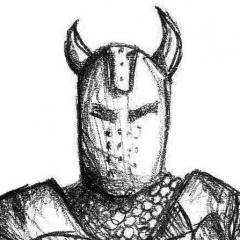
here you can bid for the original artwork that was done for MD newspaper (for interview with Azull and Syrian). Its done with ink on paper, somewhere around A5 format, will be framed and shipped to the winner of the auction. I will cover the shipping costs.

Bids in coins are prefered. Auction ends when i see fit. Third of the funds raised will be passed to TK's.


Preview of the item will be available after the release of the newspapers.

Edited by Neno Veliki

>Preview of the item will be available after the release of the newspapers.

Do you know when it is to be released?


Kyphis is leading the papers and is the person to go to for more accurate dates. :)

  • Burns locked this topic
Guest
This topic is now closed to further replies.

Forum Statistics

  • Total Topics 17.5k
  • Total Posts 182.2k

Account

Navigation

Search

Search

Configure browser push notifications

Chrome (Android)
  1. Tap the lock icon next to the address bar.
  2. Tap Permissions → Notifications.
  3. Adjust your preference.
Chrome (Desktop)
  1. Click the padlock icon in the address bar.
  2. Select Site settings.
  3. Find Notifications and adjust your preference.