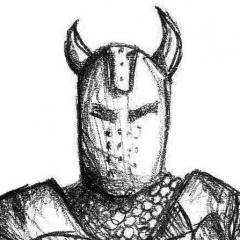
January 17, 201610 yr comment_170838 I would like to remind everybody who's going to draw artworks for MD that it should be original art and not copied or heavily influenced by other artworks outside of MD. We had those situations before and there were some in the recent history. It is obvious that we cant see or know everything but sooner or later we might find out about it, so even if such art at some point gets approved it doesnt mean that it wont be discovered as copied sometime later. What triggered this is our latest unfortunate discovery about heavily influenced artworks. I say unfortunate because it's really old avy that came into the question: [attachment=4824:avatar_569b90620fdf0 - id 108.gif][attachment=4825:blog-23-f = id 108.JPG] plus, recently we got a report from concerned player about another influenced artwork. Report
January 17, 201610 yr comment_170839 Can I ask if this is being used as a warning or if that player's artwork is considered unviable? Z Report
February 1, 201610 yr Author comment_171145 Its a warning to those that will draw the avys and other stuff for MD in the future. For now we dont know who the artist is or if there are other avys done by him in the same way. Unfortunately the one we found about is going to be confiscated. Report
February 1, 201610 yr comment_171149 The one posted in topic is being used by MRWander if it makes things easier. Report



Join the conversation
You can post now and register later. If you have an account, sign in now to post with your account.