May 19, 201214 yr comment_112372 I was uploading some avys to shop, as friend custom request, but somehow after asked to send original draw by mail, I dont remember with new upload option was pressed, also dont remember how much $ have before upload, the only true is that both avys customized goes shop among the others, instead my vault. Mercurial Spectre [sharedmedia=gallery:images:1887] JoshDragon [sharedmedia=gallery:images:1886] So if you pass trough them, and wish buy them to sell to the right owners, please contact directly them to get the [color=#ff0000]coins[/color] involved in the payment. Thanks. Edited May 22, 201214 yr by Espartano Report
May 19, 201214 yr Author comment_112386 [quote name='J-D' timestamp='1337446857' post='112382'] Why do the images show up as "No Permission"? [/quote] sry, as I dont have a better idea used forum gallery...now its open to everyone see. Report
May 19, 201214 yr Author comment_112392 [quote name='Liberty4life' timestamp='1337448576' post='112391'] mercurial spectre looks almost exactly as in dota [/quote] Thanks to point a wonderfull add to the post, as the main post say they are requested customized avys. edit: Facebook strikes back! Edited May 19, 201214 yr by Espartano Report
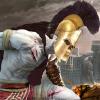
May 19, 201214 yr comment_112395 Liberty ,,u're wrong ...it not look like Dota's Spectre ....take a look at my small image (even that is not a good one ) Report



Join the conversation
You can post now and register later. If you have an account, sign in now to post with your account.