

Skip to content
View in the app

A better way to browse. Learn more.

MagicDuel Community

A full-screen app on your home screen with push notifications, badges and more.

To install this app on iOS and iPadOS
  1. Tap the Share icon in Safari
  2. Scroll the menu and tap Add to Home Screen.
  3. Tap Add in the top-right corner.
To install this app on Android
  1. Tap the 3-dot menu (⋮) in the top-right corner of the browser.
  2. Tap Add to Home screen or Install app.
  3. Confirm by tapping Install.

Looking for homes for two avatars
Featured Replies

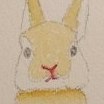
Since I hope to commission someone for a custom avatar (and if not that, attempt to draw my own rudimentary avatar) I'd like to give away my two avatars to one or more homes since, having cycled through 5 or so shop avatars, I've never gotten too attached to any one of them.


Please post either why one of the avatars fits you, or why you wish to keep it (for example, if you used it lots in the past).


twoavatars.png?dl=1


Join the conversation

You can post now and register later. If you have an account, sign in now to post with your account.

Guest
Reply to this topic...

Forum Statistics

  • Total Topics 17.5k
  • Total Posts 182.2k

Account

Navigation

Search

Search

Configure browser push notifications

Chrome (Android)
  1. Tap the lock icon next to the address bar.
  2. Tap Permissions → Notifications.
  3. Adjust your preference.
Chrome (Desktop)
  1. Click the padlock icon in the address bar.
  2. Select Site settings.
  3. Find Notifications and adjust your preference.
