


Skip to content
View in the app

A better way to browse. Learn more.

MagicDuel Community

A full-screen app on your home screen with push notifications, badges and more.

To install this app on iOS and iPadOS
  1. Tap the Share icon in Safari
  2. Scroll the menu and tap Add to Home Screen.
  3. Tap Add in the top-right corner.
To install this app on Android
  1. Tap the 3-dot menu (⋮) in the top-right corner of the browser.
  2. Tap Add to Home screen or Install app.
  3. Confirm by tapping Install.

WTB Avatars

Featured Replies

I seek the Avatars of the MD Shop the ones displayed in the Section for ... Avatars.

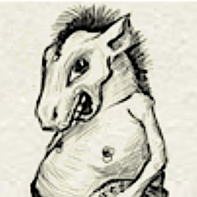
I already own the Horse Man since like ever as well as my recently acquired Bird, still Looking for the elephant on skates, The Knight looking man, The crossed legged (i think he is playing the Flute or something) and of course the little map (which i have never seen) Anywyas i seek those 4 if you have them I would be more than willing to purchase them. Also if anyone could help me locate them i would be very greatful, and will throw in a SC or two for your help. Thanks

-Junior


[attachment=2951:Avatars.png]

http://magicduel.invisionzone.com/topic/8308-avatar-shop/

Asterdai has two of those you're looking for :)


~Aelis

I last saw the elephant on skates worn by Ledah, after Gargant dropped it. Ledah doesn't currently wear it, though; it may have moved to a new owner.

Guest
This topic is now closed to further replies.

Forum Statistics

  • Total Topics 17.5k
  • Total Posts 182.2k

Account

Navigation

Search

Search

Configure browser push notifications

Chrome (Android)
  1. Tap the lock icon next to the address bar.
  2. Tap Permissions → Notifications.
  3. Adjust your preference.
Chrome (Desktop)
  1. Click the padlock icon in the address bar.
  2. Select Site settings.
  3. Find Notifications and adjust your preference.