



Syerthrix
Member
-
Joined
-
Last visited
Everything posted by Syerthrix
-
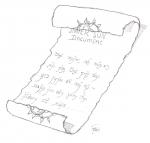
[quote name='Grido' post='22444' date='Dec 15 2008, 03:44 PM']i didnt think that it was, i meant for realism the seal on the scroll shouldnt be on both ends, it should only be on one it appears to be a scroll so half the seal would be on one end, as it's been rolled up[/quote] hmm yea.. ur rightt ^^
-
euum.. Grido, the reacting on my work ^^ Dunno how to give a quote or something so.. but it isn't an avatar ^^. glor asked me to help him with the drawings for the AL (adventure log). so you don't need to be an scroll for it, its not an avatar ^^
-
Eumm.. Glor here is the thing you asked for, sorry it's a bit late, but first things first (my homework -.-''). It's a bit simple, but hope you like it. grtz Syerthrix.
-
-sigh- Nice Amoran! I would I could draw like that! :good: :good: :good: :good:
-
Wooohhhh!! I knew ur good, but this is.. is.... GREAT!!! I really love ur work.... :good:
-
Are they so ugly no one reply's on it? :S
-
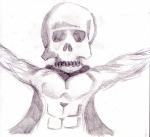
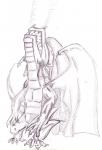
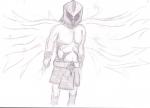
here are 3 drawings of me: 1: Just an Avatar 2: Reptillian 3: Hermus
-
nice..... I would draw that nice... But how big you drawing, on what kind of paper, with pencil or... I don't know the word. :S And how long is taking that drawing for making?
-
Ok I get it
-
Maybe It's to prived, but how old are you guys? You draw all so... so very nice, I can almost not imagen you're my age. Just want to know!


