Skip to content
View in the app

A better way to browse. Learn more.

MagicDuel Community

A full-screen app on your home screen with push notifications, badges and more.

To install this app on iOS and iPadOS
  1. Tap the Share icon in Safari
  2. Scroll the menu and tap Add to Home Screen.
  3. Tap Add in the top-right corner.
To install this app on Android
  1. Tap the 3-dot menu (⋮) in the top-right corner of the browser.
  2. Tap Add to Home screen or Install app.
  3. Confirm by tapping Install.

Images

EtherealMD

Member
  • Joined

  • Last visited

Everything posted by EtherealMD

  1. still...some notices...or whatever...i don't know...should be placed...not every player will visit the forum, or write in the chat...so they would simply get stuck... anyways...the decision is up to you, mighty and allknowing moders and admins ))
  2. well...neither cache clear, nor cookies clear helped...it was all about that "attack thing" about which Grido mentioned...though...i still consider this as a bug, so it should be fixed
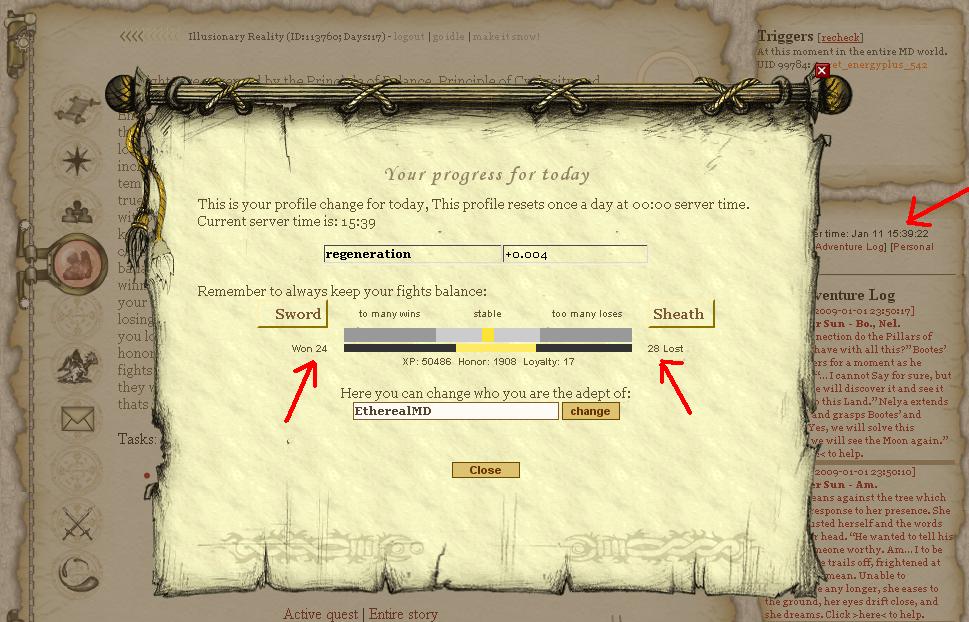
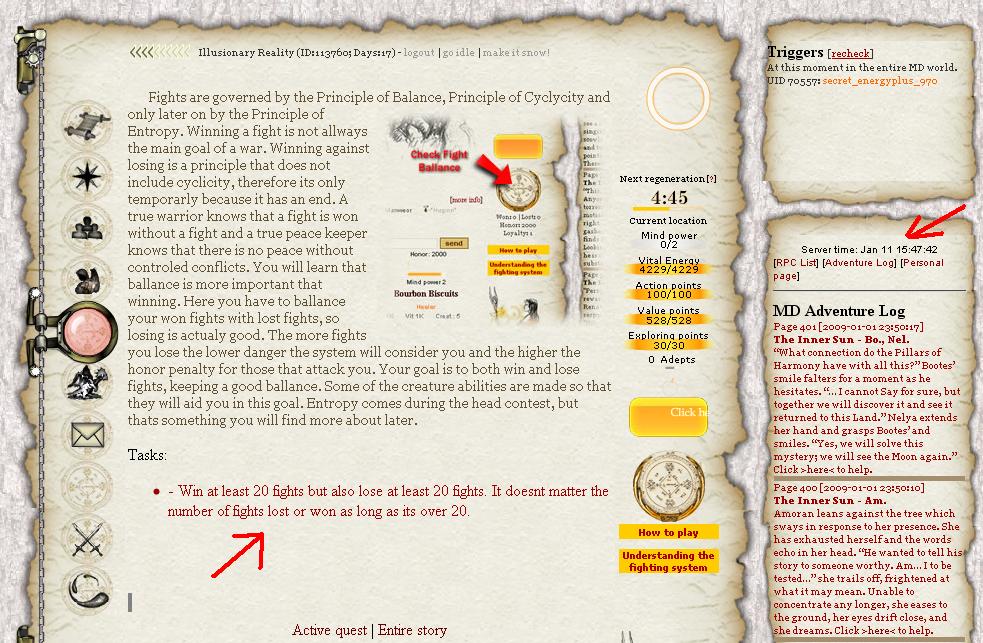
  3. [attachment=683:bug_part_1.JPG] [attachment=684:bug_part_2.JPG] ok...now i think the attachements speak for themselves...i've got over 20 wins and losses yet I can't move on story
Account

Navigation

Search

Search

Configure browser push notifications

Chrome (Android)
  1. Tap the lock icon next to the address bar.
  2. Tap Permissions → Notifications.
  3. Adjust your preference.
Chrome (Desktop)
  1. Click the padlock icon in the address bar.
  2. Select Site settings.
  3. Find Notifications and adjust your preference.