


Skip to content
View in the app

A better way to browse. Learn more.

MagicDuel Community

A full-screen app on your home screen with push notifications, badges and more.

To install this app on iOS and iPadOS
  1. Tap the Share icon in Safari
  2. Scroll the menu and tap Add to Home Screen.
  3. Tap Add in the top-right corner.
To install this app on Android
  1. Tap the 3-dot menu (⋮) in the top-right corner of the browser.
  2. Tap Add to Home screen or Install app.
  3. Confirm by tapping Install.

Images

Erebos

New Member
  • Joined

  • Last visited

  1. Erebos replied to Erebos's topic in Resolved Bugs
    No, I didn't refresh the page. And I only clicked it repeatedly for debugging purposes, of course
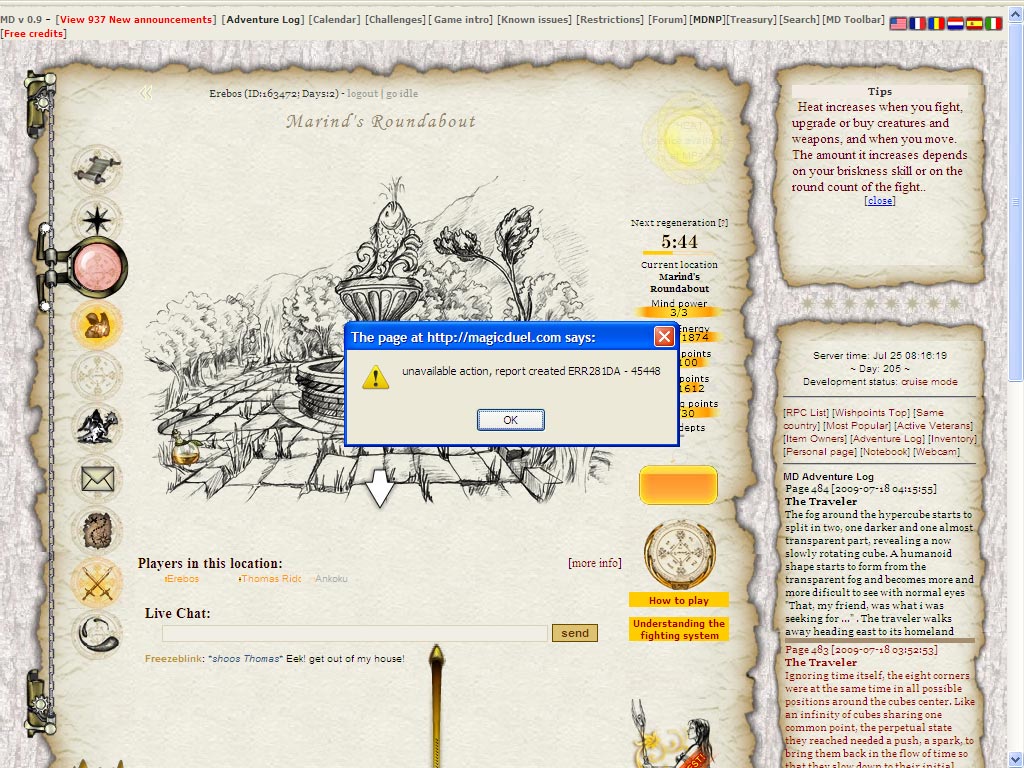
  2. Hello I visited Marind's Roundabout for the first time, and took the Vitality Elixer upon seeing it. After I took it, it still appeared to be sitting there on the ground. I clicked it again, and an error message appeared (see attached screenshot). I tried again a couple of times with the same result (with a new error report number each time). I left then came back, and the elixer is now gone. I did not gain any more Vitality by attempting to take it again, and observed no other effects. I am using Firefox 3.5.1 on Windows XP Pro and have Shockwave Flash 10.0.22.87 installed on Firefox.
Account

Navigation

Search

Search

Configure browser push notifications

Chrome (Android)
  1. Tap the lock icon next to the address bar.
  2. Tap Permissions → Notifications.
  3. Adjust your preference.
Chrome (Desktop)
  1. Click the padlock icon in the address bar.
  2. Select Site settings.
  3. Find Notifications and adjust your preference.