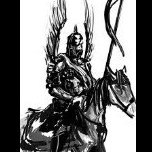
January 16, 20251 yr comment_202833 I had an idea sort of similar to this one but I think it's different enough to make a separate post. Mounts. For example a horse or a dragon that you also need to take care of, feed, water it. It would have it's own set of AP (either not much or a decent amount with longer cooldown. Maybe enough to just get through one side of a land to another) that is spent when you are mounted instead of your personal AP. Would require rest and food and water to regenerate it. It should maybe require a quest to earn one, a ritual or building one. Shouldn't be very easy to get. Maybe an icon next to playername or avy to show you are mounted or a automated text in chat like "*playername mounts mountname*" I would personally use it mostly for RP purposes and wonder if anyone else thinks this is a cool idea. Edited January 16, 20251 yr by Sir Blut Report
January 16, 20251 yr comment_202834 It sounds like a cool idea. Could also be used to grant access to certain locations or mechanics, such as heat veins. Report
January 16, 20251 yr comment_202840 Could work kind of how things work for the player when they are a citizen of a land, like take the land bonus and apply that to your mountable creature. Or build up heat to use to ride the mounted creature Report
January 16, 20251 yr Author comment_202846 Thats something I didn't about @death ray it could be a creature with a option to mount it Report



Join the conversation
You can post now and register later. If you have an account, sign in now to post with your account.