February 20, 201115 yr comment_79098 Wow! wow wow!!! I told you in game that I love your avatar... Now I discover it has some brothers and sisters. That's trukky good work you put down here. As a newbye I've been rapidly attract by artwork in MD. It's so different from the rest of the world... And I feel that your work is fitting very well with the spirit of the game. To provide suggestion now, I believe you would make a big step further by trying new poses as someone suggested... but if you don't you still stay as a top class avy drawer in my mind. Grats! Report
February 20, 201115 yr Author comment_79102 Thank you for the comments... I'm trying to draw new poses, but it isn't working out for now. :/ I'm suffering from insomnia and this is the result: [attachment=2581:cursedwarriorsoulsteal.jpg] Edited February 24, 201115 yr by Ravenstrider Report
February 20, 201115 yr comment_79109 [quote name='Ravenstrider' timestamp='1298197465' post='79102'] Thank you for the comments... I'm trying to draw new poses, but it isn't working out for now. :/ I'm suffering from insomnia and this is the result: [attachment=2581:cursedwarriorsoulsteal.jpg] [/quote] Its not that bad he he........ -rider Report
February 20, 201115 yr Author comment_79120 And another one... Lack of sleep inspires me, it seems. [attachment=2583:assassin.jpg] Oh, a little sketch I've done just for fun... Might never be turned into an avy... [attachment=2604:zombz.jpg] Pirate zombie type of thing, I guess. Edited February 24, 201115 yr by Ravenstrider Report
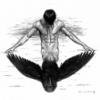
March 21, 201115 yr Author comment_81024 Two new avatars and a tree avy I drew earlier: [attachment=2657:wanderer.jpg] [attachment=2658:wizard.jpg] [attachment=2660:tree.png] And new ones: [attachment=2669:crowning.png] [attachment=2670:jack.png] An image for an item maybe... [attachment=2672:Book.png] WP for days design: [attachment=2673:wpfordays.png] Scene-ish drawing... Corner. [attachment=2674:corner.png] Edited March 24, 201115 yr by Ravenstrider Report



Join the conversation
You can post now and register later. If you have an account, sign in now to post with your account.