Images
-
Petal Elucid I
Winner of the auction will have this exclusivity for this creature for at least 60 days
-
-
First Bug Achievement?
SPOILER!
-
Screenshot_20230327_224813.jpg
NFTs created from the new api, in md, from bestiary creatures. You can find them also on opensea.io where you can view there rarity and such.
Currently there is no way for anyone to create such nfts, but this is just because nobody showed any interest in this feature.
I will cobtinue working on in-game interfwces for this, or i will just use them for personal transfers and rewards..depends only on your feedback
-
-
-
Screenshot_20230327_221129_AlphaWallet.jpg
magicduel.com is not the official erc-20 (eth, polygon) address for md on the eth blockchain.
Magucduel.eth is also a valid ens domain name bound to the official address.
This is part of a series of experiments i do in the crypto direction
-
















Steadfast Steno
-
Joined
-
Last visited
Everything posted by Steadfast Steno
-
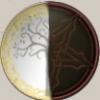
Maybe with this logo? Trying to get a better image of a sun that is more in line with the style precedent set by the other allinaces, but my scanner is having problems, so the sun I traced/ drew isn't really working out as of yet...
-
I propose an new allinace: called New Age, or New Alliance? What do you think? Members Steno soulliere Havok
-
Hmmm... The thing that mainly draws my attention to this game is the fact that it still IS in developement, many, many games, I've played while in developement, and heled along a little bit, and helped out programming on a few, but the best part is seeing it develope, I don't know why, but it's fun, also I like the 24 hour option, also, will there be a prtection/ ranking prevention implemented eventually? I mean, say, someone has double my creature points, and a lot more creatures and creature experience. So, if everytime I leave sanctuary, and i get merc.ed, it's sort of hard to attack other people to get stronger...