


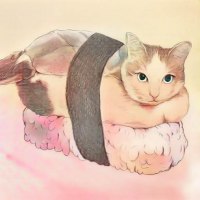
Sushi
Member
-
Joined
-
Last visited
About Me
Commission Status: Temporarily Closed
Total Commissioners: 22
Completed Artworks: 118
(Updated irregularly)
///Commissions///
Total Commissioners: 22
Completed Artworks: 118
(Updated irregularly)
///Commissions///
Thank you for your support and viewing my artwork always since the beginning, some of you have asked me to draw things privately and it worked out great. So I’m now open for commissions here, if you're interested in commissioning me, just send me a PM with some information below, I'd be happy to discuss further details with you. Let's make MD more fun! : )
///Info///
For example~
Type: Required (Colored, Black & white)
Subject: Required (Scene, Avatar, Item, Emblem, Quest, Story…etc)
Description: Required
Reference: Optional
Type: Required (Colored, Black & white)
Subject: Required (Scene, Avatar, Item, Emblem, Quest, Story…etc)
Description: Required
Reference: Optional
///Terms of Service (ToS)///
Also please make sure to read my ToS before ordering~
- The final artwork will upload to storenow.net and send it via forum PM.
- The final artwork usually included both small(eg:80x80px png) and big(eg:600x600px jpeg) images.
- The size and price depend on variety of factors and needs.
- All commissions must be paid in full upfront before I start. (GC/Credits preferred)
- No cancellation after payment.
- If for RL reason I cannot complete the work after you've paid, full refund.
- I reserve all the right to use my artwork and exhibit in gallery. (tell me if it’s a secret project)
- I also reserve the right to decline a commission request for any reason.
- Commissions described here are for personal & MD use only.
(unless agreed otherwise)
meow~
- The final artwork will upload to storenow.net and send it via forum PM.
- The final artwork usually included both small(eg:80x80px png) and big(eg:600x600px jpeg) images.
- The size and price depend on variety of factors and needs.
- All commissions must be paid in full upfront before I start. (GC/Credits preferred)
- No cancellation after payment.
- If for RL reason I cannot complete the work after you've paid, full refund.
- I reserve all the right to use my artwork and exhibit in gallery. (tell me if it’s a secret project)
- I also reserve the right to decline a commission request for any reason.
- Commissions described here are for personal & MD use only.
(unless agreed otherwise)
meow~