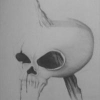
February 11, 201511 yr Popular Post comment_161933 I love to draw, it's one of my biggest passions if not the biggest. So I wanted to shared with all of you my ideas: Thank you for passing by!! Feel free to share your opinion!! "I'm not the end of the line, just a ticket to another train" Edited February 11, 201511 yr by Dark Harvester Report
February 11, 201511 yr comment_161934 Scan the drawing(s). Send them to Mur. I think he'll like your way of drawing (suits MD style from what I have seen in your pic). And we are always in need of good artists. Report
February 11, 201511 yr comment_161945 Hah. It'll be ten years of practice before I'm able to produce such drawings. (I'm at year one now. ;)) Definitely looking forward to avatar submissions and other artwork as well. Report
February 12, 201511 yr Author comment_161962 Thank you for your comments. I give really importance to the shadows in my drawings. I have more and I'm constantly making new ones!! *dst - I will search for him then, and see what he thinks thank you! *gonzalo - Thank you sir! *Neno - Thanks, you will. I already have lots made so I just need to upload some of them. *Aeoshattr - Thanks a lot *smiles* *Change - If you put your mind to the task you'll get results before you know it. I trained with ramdom objects and pointed a light in the direction I wanted, that way I could understand how can I work with shadows and lights. Use your imagination not just on your drawings but also with your surroundings. Thanks! I will upload some soon! *Lazarus - Thanks! I will, I'm always trying to be better I wanted to thank you individualy so this was kinda long. Thank for your patience *Smiles* "I'm not the end of the line, just a ticket to another train" Edited February 12, 201511 yr by Dark Harvester Report
February 16, 201511 yr comment_162127 Ooh just encountered this thread... Nice drawings :D Draw me an avatar sometime~? :P Report



Join the conversation
You can post now and register later. If you have an account, sign in now to post with your account.