Images
-
Petal Elucid I
Winner of the auction will have this exclusivity for this creature for at least 60 days
-
-
First Bug Achievement?
SPOILER!
-
Screenshot_20230327_224813.jpg
NFTs created from the new api, in md, from bestiary creatures. You can find them also on opensea.io where you can view there rarity and such.
Currently there is no way for anyone to create such nfts, but this is just because nobody showed any interest in this feature.
I will cobtinue working on in-game interfwces for this, or i will just use them for personal transfers and rewards..depends only on your feedback
-
-
-
Screenshot_20230327_221129_AlphaWallet.jpg
magicduel.com is not the official erc-20 (eth, polygon) address for md on the eth blockchain.
Magucduel.eth is also a valid ens domain name bound to the official address.
This is part of a series of experiments i do in the crypto direction
-
















The Knight of controversy
-
Joined
-
Last visited
-
When will be avaible in the shop the new pack of avatars? they are awesome! I cannot wait... good joob everyone...
-
when will avaible the new pack of avatars? i am waiting for a avatar how long will it take? im excited to know what will be my first avatar just say when... in the next month? tomorrow night? how are the new pack of avatars? can i produce mine? or maybe i can ask my sister she is in arts school and she is pretty good...
-
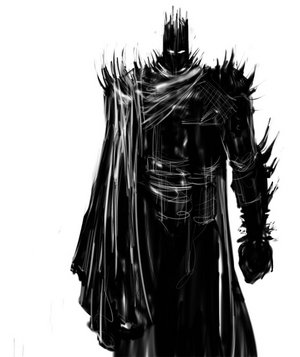
i wanna a darkness knight avatar, like in the image a avatar of a dark knight that shows respect and power and moved by dark forces, it would be cool if had a sword LOL [attachment=890:Black_Knigh.jpg] Then tell me what you can do about this matter...
-
so if the has been sealed how people won prizes to solve it? the puzzle....
-
where is it i dont find the Labirinth!