
TwistedDeath
New Member
-
Joined
-
Last visited
Everything posted by TwistedDeath
-
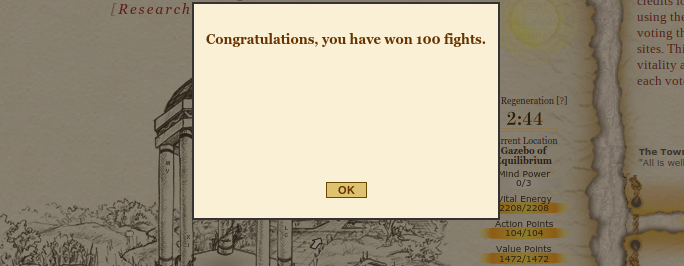
Hi, this bug is still happening and I know that Chewett was aware a few months ago. However, it still hasn't been fixed and is probably long forgotten cause it's such a petty bug that only happens to peasants such as me. Therefore, I'm posting as a reminder with a better example of it. https://gyazo.com/554e4ff94fe9340df90764d74d25cb74 Basically this happened in mind power 3 when I got 100 wins and then same for 100 losses. One day it suddenly went away and I was able to raise my mind power. Now it's happening with 500 honor. It happens any time and nothing changes. Refresh page, clear all my browser stuff, restart computer etc... All done so it's clearly not me. The issue is quite frustrating and I hope it can get fixed
-
@Chewett No, I do not have the MD toolbar.
-
Just to note, I was able to get in on the 7th login. I don't know what it was or if it'll continue but yeah.
-
It is indeed still happening sadly. Quite annoying cause I can't see anything on my compass anymore... :T I'm mp3 going to mp4 in the near-ish future Succeed Chewett at fixing the death bringing issue Be a hero!
-
Hey, I tried to log in and it said the letters I put in at the bottom were wrong. I for sure put them in correctly, I did it twice said I had to wait 14 minutes, did it again after that time and it said I was wrong again. Is there an issue? Please help. thanks. Sincerely, -TwistedDeath