


Esmaralda
-
Joined
-
Last visited
About Me
A long time ago, when this world was not yet formed, there was only fire and ice separated by a great chasm. When the fire met the ice, they combined to form a great frost giant and god named Ymir, and a cow whose milk the giant drank and kept him nourished. The great giant ruled the cosmos.
But one day, as the giant slept, three sons of a great king Borr, namely Odin, Vili and Vé, came upon the giant, and through their great power slew the giant Ymir and cast down his body. From his dead body Odin created the world, using Ymir's flesh for the dirt, his blood for the sea, his bones for the mountains, his skull for the sky above, and his hair for the forests. He called this world Midgard and he protected it by creating a strong fence around the world from Ymir's eyelashes.
From two trees the brothers created a human man and woman. Odin gave the man and the woman spirit and life. Vili gave them understanding and the power of movement. Vé gave them clothing and names. The man was named Ask [Ash] and the woman Embla [Elm]. Ask and Embla are the ancestors of all humans in Midgard. They are my distant ancestors.
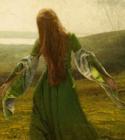
I am Esmaralda, a woman. The forest is my home. The trees keep shade over my face. Their leaves give me a bed to sleep on. The birds sing me a lullaby. Their fruits nourish me. The cold springs running through the trees keep me sated. I am of the forest, and the forest is of me.