Skip to content
View in the app

A better way to browse. Learn more.

MagicDuel Community

A full-screen app on your home screen with push notifications, badges and more.

To install this app on iOS and iPadOS
  1. Tap the Share icon in Safari
  2. Scroll the menu and tap Add to Home Screen.
  3. Tap Add in the top-right corner.
To install this app on Android
  1. Tap the 3-dot menu (⋮) in the top-right corner of the browser.
  2. Tap Add to Home screen or Install app.
  3. Confirm by tapping Install.

Images

Occamrazor

New Member
  • Joined

  • Last visited

  1. Zomg! I so totally deserve a big honkin' Drachorn Charm.
  2. Occamrazor ID:250363 AD:67
  3. What about those of us that are unable to enter lands other than No Man's, Mirand Bell and parts of MDA? Is this quest designed for more advanced players only?
  4.    Intrigue reacted to a post in a topic: Hidden PIcture Puzzle Contest
  5. yikes! i look long enough and everything looks like a book & a fish. Wish i could go to Loreroot. :( G'luck everybody
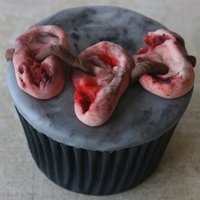
  6. can someone show an example, please? I mean are we talking a REAL cake?
  7. ~chants~ turn around.......turn around
  8. WOW

    Occamrazor replied to Menhir's topic in Offtopic
    Very Nice! I love this city. thanks for posting, Menhir
  9. My first Meme's!

Account

Navigation

Search

Search

Configure browser push notifications

Chrome (Android)
  1. Tap the lock icon next to the address bar.
  2. Tap Permissions → Notifications.
  3. Adjust your preference.
Chrome (Desktop)
  1. Click the padlock icon in the address bar.
  2. Select Site settings.
  3. Find Notifications and adjust your preference.