


Skip to content
View in the app

A better way to browse. Learn more.

MagicDuel Community

A full-screen app on your home screen with push notifications, badges and more.

To install this app on iOS and iPadOS
  1. Tap the Share icon in Safari
  2. Scroll the menu and tap Add to Home Screen.
  3. Tap Add in the top-right corner.
To install this app on Android
  1. Tap the 3-dot menu (⋮) in the top-right corner of the browser.
  2. Tap Add to Home screen or Install app.
  3. Confirm by tapping Install.

WTS Wind

Featured Replies

Hello MDers as some of you may know I am trying to remove all notes and or cupons off the Market. Seeing as i have quickly run out of coins i will be auctioning off a personal creature of mine, in the attempt to remove many more notes and cupons.

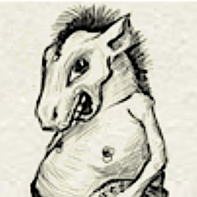
I just recently Mutated a GG into a Horrible Wind which is now for auction.

I will primarily be taking notes and cupons along with coins. Now what I mean primarily is that lets say MDer A offers a 20 Gold Coin Note and MDer B offers 20 Gold Coins I'll take MDer's A offer. (of course 20gcs is too low for me to sale but its just an example :P)

Anyways Bid away, the auction shall end when i feel am getting a nice chunk of change to keep removing more notes.


P.S. If anyone has been keeping track of my sales, knows there's more to come...

Guest
This topic is now closed to further replies.

Forum Statistics

  • Total Topics 17.5k
  • Total Posts 182.2k

Account

Navigation

Search

Search

Configure browser push notifications

Chrome (Android)
  1. Tap the lock icon next to the address bar.
  2. Tap Permissions → Notifications.
  3. Adjust your preference.
Chrome (Desktop)
  1. Click the padlock icon in the address bar.
  2. Select Site settings.
  3. Find Notifications and adjust your preference.