


Skip to content
View in the app

A better way to browse. Learn more.

MagicDuel Community

A full-screen app on your home screen with push notifications, badges and more.

To install this app on iOS and iPadOS
  1. Tap the Share icon in Safari
  2. Scroll the menu and tap Add to Home Screen.
  3. Tap Add in the top-right corner.
To install this app on Android
  1. Tap the 3-dot menu (⋮) in the top-right corner of the browser.
  2. Tap Add to Home screen or Install app.
  3. Confirm by tapping Install.

Present Shopping - Eye Spy
Featured Replies

  • Replies 299
  • Views 26.7k
  • Created
  • Last Reply

Top Posters In This Topic

Most Popular Posts

air has been said, nothing right so far, as amusing as they are :P

dont forget my mini-hint

Author, though i think we are going already out of the picture... This is a damn difficult word, or it's too obvious to be seen.

so we're giving up....?


LE: I have to head off now, so the answer is;
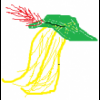
[spoiler]Autumn/Fall, in the picture above the doorframe :P[/spoiler]

Edited by Grido

So I guess this is now one of the most posted in (in a short amount of time) forum.

Did everyone like looking at that picture :))

Cutler

  • Author

Probably was, but...no not really! brain ended up hurting, by the time i "flicked" back to the last page, someone had stolen my answer!!
Nice of Dst and master to play even though they had trouble with the words, some really funny stuff :)

Guest
This topic is now closed to further replies.

Forum Statistics

  • Total Topics 17.5k
  • Total Posts 182.2k

Account

Navigation

Search

Search

Configure browser push notifications

Chrome (Android)
  1. Tap the lock icon next to the address bar.
  2. Tap Permissions → Notifications.
  3. Adjust your preference.
Chrome (Desktop)
  1. Click the padlock icon in the address bar.
  2. Select Site settings.
  3. Find Notifications and adjust your preference.
