


Skip to content
View in the app

A better way to browse. Learn more.

MagicDuel Community

A full-screen app on your home screen with push notifications, badges and more.

To install this app on iOS and iPadOS
  1. Tap the Share icon in Safari
  2. Scroll the menu and tap Add to Home Screen.
  3. Tap Add in the top-right corner.
To install this app on Android
  1. Tap the 3-dot menu (⋮) in the top-right corner of the browser.
  2. Tap Add to Home screen or Install app.
  3. Confirm by tapping Install.

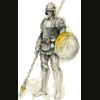
selling avatar

Featured Replies

In terms of history, I think it was the avatar used by one of the early members of the Sentinels, though the name eludes me.

  • 3 weeks later...

Sorry for hijacking the thread. The history...hmm..this was the avatar of a guy called [b]darknessado. [/b]He's an ooold player. Stopped early in the game unfortunately :(. He was quite a good fighter (if you check his stats, you'll see that they were pretty big for that period of time).

Guest
This topic is now closed to further replies.

Forum Statistics

  • Total Topics 17.5k
  • Total Posts 182.2k

Account

Navigation

Search

Search

Configure browser push notifications

Chrome (Android)
  1. Tap the lock icon next to the address bar.
  2. Tap Permissions → Notifications.
  3. Adjust your preference.
Chrome (Desktop)
  1. Click the padlock icon in the address bar.
  2. Select Site settings.
  3. Find Notifications and adjust your preference.