


Skip to content
View in the app

A better way to browse. Learn more.

MagicDuel Community

A full-screen app on your home screen with push notifications, badges and more.

To install this app on iOS and iPadOS
  1. Tap the Share icon in Safari
  2. Scroll the menu and tap Add to Home Screen.
  3. Tap Add in the top-right corner.
To install this app on Android
  1. Tap the 3-dot menu (⋮) in the top-right corner of the browser.
  2. Tap Add to Home screen or Install app.
  3. Confirm by tapping Install.

Illusions

Featured Replies

Not sure if this is a bug but i couldnt find anything on it. 

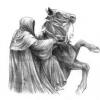
Blackshade rider is currently under an Illusions and is called " Masked Figure 3385786 " 

I had logged out to use an alt of mine to help Mur. When i logged back in it wouldnt let me. So i used the forgot pass link and it said hello  Masked Figure 3385786  instead of blackshade rider.  So i used the name  Masked Figure 3385786  and my pass to log in and it worked. 

Should this work like this? I dont think it should

When under illusion, the illusion name, id, or your email can be used to log back in. I reminded some of this, but forgot to continue to remind others. 

This has been something faced in the past and I believe it is because of how the illusions are designed. I may be completely wrong. 


You need to log in with the name you currently have. Or id. Or e-mail address. Or simply EXIT the damn illu before logging out.

Or even better: check the forum for info cause it has been posted at least twice.

  • Grido locked this topic
  • 3 years later...
Guest
This topic is now closed to further replies.

Forum Statistics

  • Total Topics 17.5k
  • Total Posts 182.2k

Account

Navigation

Search

Search

Configure browser push notifications

Chrome (Android)
  1. Tap the lock icon next to the address bar.
  2. Tap Permissions → Notifications.
  3. Adjust your preference.
Chrome (Desktop)
  1. Click the padlock icon in the address bar.
  2. Select Site settings.
  3. Find Notifications and adjust your preference.