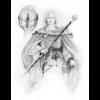
August 19, 201015 yr comment_66578 Well heres my attempt at your avy, magnus. It seems the avy's background wasnt white, which was problomatic, but fixable, so next time draw in white paper or use a scanner. [attachment=1932:AVy.gif] theres an added print, so as to no one else could steal it. If you want to try yourself, go ahead, if you want the pic you can pm me and ill ahnd you the file. Report
June 20, 201115 yr comment_86501 Can anyone give me tutorial using photoshop or something that doesn't require a download? I realize there is one for photoshop, but there were some difficulties. Thanks, Hedge Report
June 20, 201115 yr comment_86502 The main issue is finding how to set your "alpha" to zero. Can't do it in Paint. Need to find how to do that in whatever program you are using. Report
June 20, 201115 yr Root Admin comment_86504 This topic uses open source alternatives... mostly http://magicduel.invisionzone.com/topic/9102-avatar-tutorial-for-windows/ Report
January 1, 20179 yr comment_176504 Is this also the correct specifications for uploading an image to be used as an A25 scene object? Report
January 2, 20179 yr Root Admin comment_176512 A25 uses transparent pngs so this isn't the same as these are gifs Edited January 2, 20179 yr by Chewett Report
January 3, 20179 yr comment_176526 Just save it as a png with alpha transparency and it'll be OK? Are there limits on size/resolution for A25 images? Can the images be resized? Report
January 3, 20179 yr Root Admin comment_176528 33 minutes ago, Rophs said: Just save it as a png with alpha transparency and it'll be OK? Are there limits on size/resolution for A25 images? Can the images be resized? Please use another thread to ask this so its properly documented Report
Join the conversation
You can post now and register later. If you have an account, sign in now to post with your account.