




Ledah
Member
-
Joined
-
Last visited
Everything posted by Ledah
-
Item 2 - 7th Anni - CID 58 - 776716 - 60 WHOLE plushies
-
Item 4--30 plushies
-
Item 4-23 plushies
-
Item 4 - 21 plushies
-
Item 3 - 25 plushies
-
-
Item 8 - Darkling, 2836 age ID: 793858 - 25 plushies
-
Agreed! Time to bid them up! Item 2 - 7th Anni - CID 58 - 776716 - 20 plushies Item 3 - 9th Anni - CID 60 - 822371 - 20 plushies Item 4 - 11th Anni - CID 63 - 851617 - 15 plushies Item 5 - 13th Anni - CID 65 - 863559 - 15 plushies Item 6 - Wind Drachorn egg - 2836 age ID 793846 - 15 plushies Item 8 - Darkling, 2836 age ID: 793858 - 15 plushies PS: Happy to buy the use of peoples plushies...
-
Thank you to phantasm for inviting me to the alliance initially and coming back to endorse the handover. I know you are a busy man and I hope one day to see you around more often. Hopefully I don't miss you next time! Thank you Mal as well for sticking around On a more practical note, there will probably be changes coming to the alliance, any new leader needs to make their mark, after all. With that said, the biggest change that can be made at the moment is adding some new blood, so if anybody is interested in joining, please don't hesitate to make it known.
-
Not sure how it looks in Chrome, but I've always had to scroll left to see if those crits survived, but yes, definetly a LOT better!
-
Works fine on FF 78.0.2 with uBlock addon disabled, assuming this is about the excessive scrollbars? Danke
-
Quite, quite! I would hate to assume but surely there must be at least one? Perhaps even more!
-
Once he has been suitably restrained into his coding chair, I suggest adding icons for and releasing any creatures in the pipeline
-
You could consider them a gentle nudge to move up to MP4
-
You aren't meant to be able to do everything at MP3, like how certain creatures now need a certain Mindpower to advance. Don't see a problem with it being harder (not impossible) to use the shop either. I'm interested in how MP3 get loyalty, is it just the +1 per login?
-
Ah 2 prizes eh... neat. Can I yoink 10x tokens for the first trivia as well then please?
-
Bump?
-
A PM sounds good to me
-
Depends on your tolerance to poison! I suggest adding Grasan Cheese to this list...
-
Stupid question, did you miss a login, resetting your cumulative days? You can drop a lot of AP that way.
-
Could I please spend my consolation points on a Toadspeak stone and 2 plushies Surprised I got any right XD
-
Always happy to chuck some time into tagging things... As an idea for tags. A25 - https://magicduel.com/page/Announcement/view/5020 MD BIRTHDAY - https://magicduel.com/page/Announcement/view/5018 AUTOMATED - https://magicduel.com/page/Announcement/view/5017 MDSHOP - https://magicduel.com/page/Announcement/view/4912 HEADS - https://magicduel.com/page/Announcement/view/494 REDUNDANT - https://magicduel.com/page/Announcement/view/667 Some of these would be nice to filter/blacklist, like Author:System or Tag:Redundant.
-
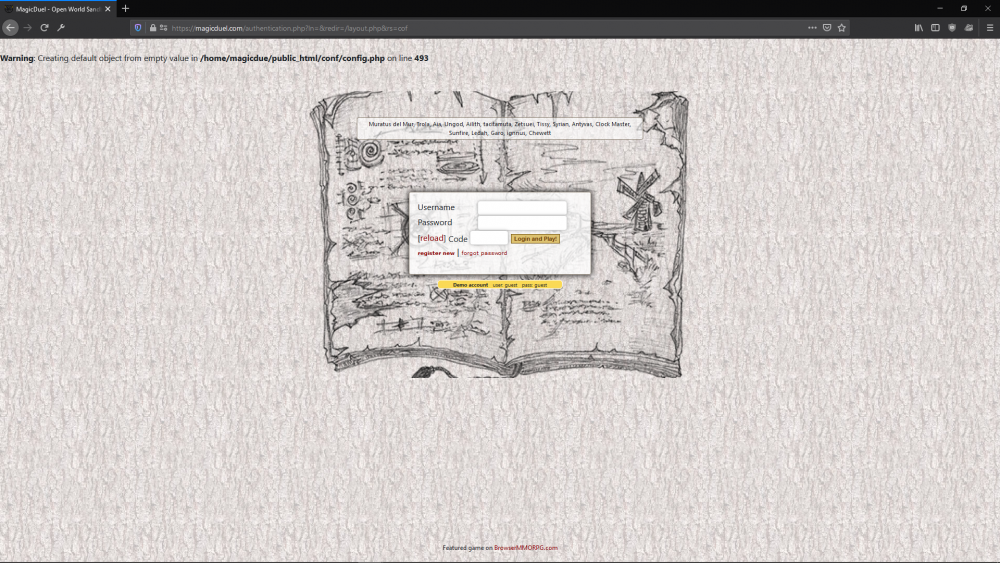
This is what happens to me once I try to login like Steno, got a similar error and now no captcha shows at all.
-
I'll yoink myself a Swordie for the 2nd trivia please
-
I reset my shop about a week ago and no extra Erolin was available to purchase. Didn't realise it was now part of the resets?