Images
-
Screenshot_20230327_224813.jpg
NFTs created from the new api, in md, from bestiary creatures. You can find them also on opensea.io where you can view there rarity and such.
Currently there is no way for anyone to create such nfts, but this is just because nobody showed any interest in this feature.
I will cobtinue working on in-game interfwces for this, or i will just use them for personal transfers and rewards..depends only on your feedback
-
-
-
Screenshot_20230327_221129_AlphaWallet.jpg
magicduel.com is not the official erc-20 (eth, polygon) address for md on the eth blockchain.
Magucduel.eth is also a valid ens domain name bound to the official address.
This is part of a series of experiments i do in the crypto direction
-









Chewett
Root Admin
-
Joined
-
Last visited
Everything posted by Chewett
-
Could someone get one please?
-
All plushies rewarded! Since the entries are of such a good quality I have gotten approval from the Birthday and Plushie distribution committee to award 20 as an award!
-
Else gets the final 20 plushies for their report!
-
Rewards distributed
-
Judging is as follows, apologies for not posting this earlier as I have had it sent over from the judges for a week or so now but it was buried! Therefore I announce Nepgear the winner, Fyrd second place, and Else third! I will contact you with your prizes. Plushies will be given out too.
-
I would accept his Queendom if the appropriate ceremonies were organised and ran within MD, with the majority of the population appearing for such ceremony. I expect gifts too
-
Damn Mur messed out and forgot to log into his Fyrd account
-
Someone asked me my view, I don’t have a massive view one way or another. But I can see why some people are grouchy. It was Fyrds decision to make.
-
Hearing people's opinions is something I am interested in. As Fyrd said a discussion would be good for everyone.
-
This is not how its going to run unless I have misunderstood how the HC used to run. You haven't replied to my PM about this either so I am really confused by this. Please read and reply to my PM before making any statements about how the HC will run. Note: I have not yet confirmed how its going to run, so its not likely to run how it is stated above. But if you do want to participate in a HC (of unknown rules) please do post.
-
A few people contacted me concerned that it was given "for no effort/work" or for "trolling". I can see where their concern is and I am a little unclear as to why a WP was given. I do not think Fyrd is trying to encourage people to troll questmakers (or at least I hope he isn't?) I wouldn't have given a WP, I was surprised Fyrd did, but assuming its his personal stash of Wishpoints it is up to him to judge it. Obviously if later its decided that it was a poor choice and should be removed, then obviously that action will follow.
-
Can you include an image please so I can see what its doing
-
I'm setting a group up, I will post on the MB forum soon
-
Thanks ❤️ Thanks to Nepgear for reminding me
-
Please don't do this. Hey Seph, whats seems to be the problem. Currently thats how Mur reworked it but I am not entirely happy with how it sits and flows. Was there something specific you wanted done with it or thought could be improved? It would be good to hear ideas here (And not via direct suggestions like suggested above).
-
I hope everyone had a great night, 24 people online during the event! Slava Ukraini!
-
Ah yes thats the temporary fix Mur did.
-
Hi all! We normally run a small Eurovision party to watch along while chatting in MD and tonight is the night again! If you wanted to chat, fight, enjoy the acts we invite you to come into MD as Eurovision starts to come chat and fight with us! Do you have a suggestion for location? Let me know if you think of somewhere exciting or new
-
I believe Mur worked on this, is it fixed?
-
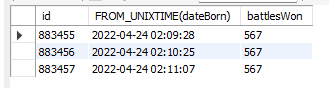
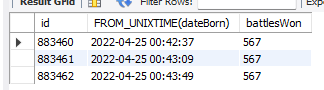
As I said on the PM, the treasury is not wrong, the tool is wrong. Why does it have quantity 0?
-
Thanks! I'm aware
-
Also interested, although I heard the auction might be interesting.
-
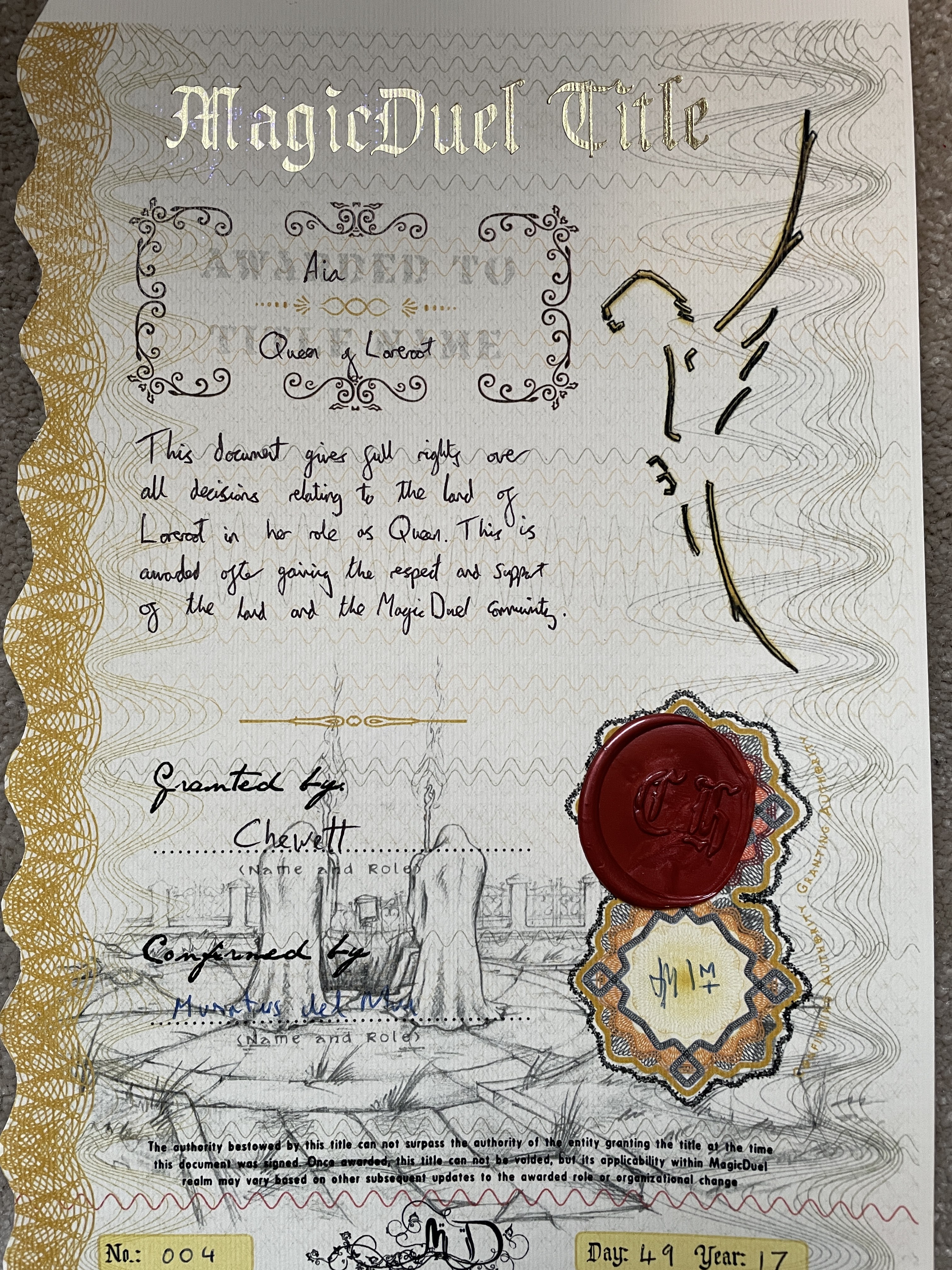
The Anniversary is a time for formal events and one of these is the signing and approval of the formal MagicDuel Title Documents. Mur and I have prepared this one to be issued on the 17th Anniversary of MagicDuel. This document gives full rights over all decisions relating to the land of Loreroot in Aia's role as Queen. This is awarded after gaining the respect and support of the land and the MagicDuel Community. This is dated Day 49, Year 17 which is the official date her reign began. Aia will have the chance to claim the document and have it sent to her or have it stored in the MagicDuel vaults for the time being.
-
Confirmed: Confirmed:
-
I have contacted Mur relating to this, if he is unable to fix this currently I will investigate.