



Chewett
Root Admin
-
Joined
-
Last visited
Everything posted by Chewett
-
@Muratus del Mur feedback is welcome. Speaking to some of the lower Mindpowers there is a distinct problem with MP4 currently. There are not too many MP4 players around and this limits fighting and other things that people do with their same Mindpower. Many people rush to MP4 so they have some more players to play with, but then get stuck there for a while attempting to farm enough to progress. I think this is a big problem currently and I am not sure about a good solution. Originally I was thinking we move back to the old system where all mindpowers could attack others. But then maybe add some kind of "Negative" when a higher MP attacks a lower one. I feel we need to resolve this to keep our newer players, and if we don't we will lose them. If anyone has any opinions or ideas please post them below. What do you think Mur?
-
As in your Max AP? why if you wanted that as the max did you put all the max ap items in the shop?
-
How about situations where people are in several billion negative VP? A quick regen timer helps in these cases. Would it force those really really active to become less active? Is that actually something this attempts to achieve?
-
They should be fixed now, please try again.
-
Mur stated this should now be fixed.
-
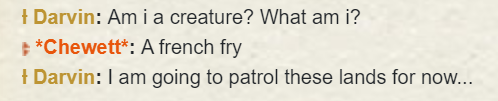
I think I offended it!
-
Send me details
-
Link me and I will repost it!
-
Sorry its unclear, who are you trying to follow?
-
I have a long history with LR, come find me in game if you wish to learn it.
-
It seems to come and go. I can resize it to have it and then after a while it just buggers off!
-
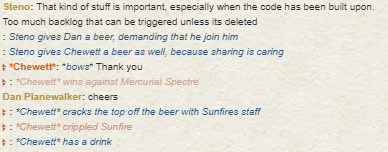
This cracked me up:
-
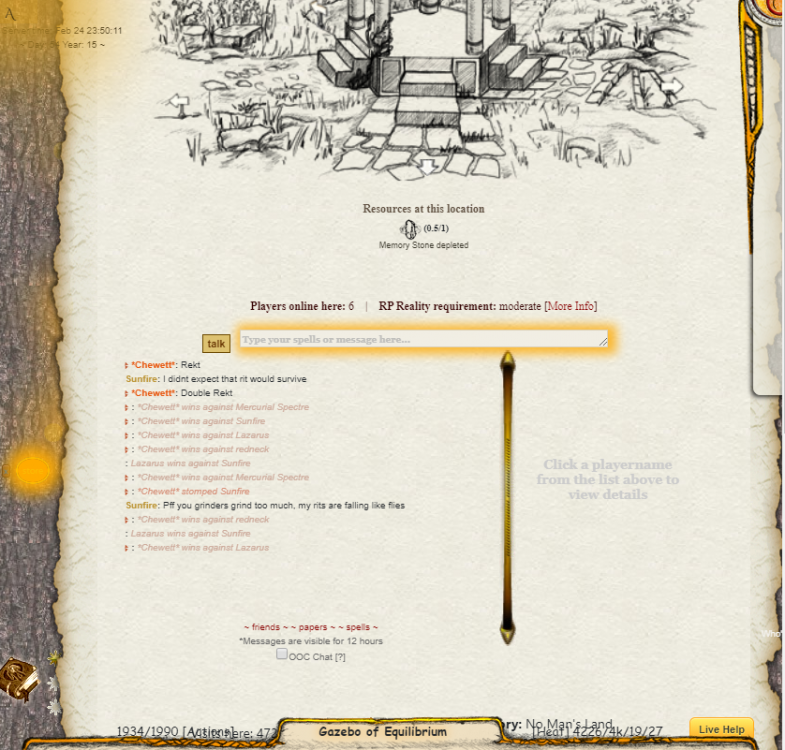
@Muratus del Mur you were asking for people who had issues with it:
-
No, Lr is a good land which I suggest you go for. But you still should be my adept
-
Pick Loreroot, they are the best
-
I'm looking for adepts too in a view to MP6 at some point. I can promise vague answers to any and all of your questions about MD, lore, Murs favourite coloured socks, etc, with a slice of British sarcasm.
-
Not this year, I shall consider it next year (the chosen items have been based on the "current" set of plushies)
-
Upped the Auction time to 14 days, 48 hours since last bid since this has been much delayed.
-
Item 4 - 10th Anni Aramor - 10 plushies Item 6 - Darkling - 10 plushies
-
The following items are available to bid on with your hard earned plushies. The plushie auction will be run like a standard auction, 14 days minimum time on auction, it finishes on each item individually 48 hours after the last bid. Your bids do not have to be purely based on our own number of plushies, You are permitted to "group up", The only requirement is that if you make a bid you must state whose plushies they are, if they are a grouped contribution. E.g. 20 from me, 20 from Eara. If there are any questions ask! Failure to have the correct number of plushies will result in being banned from all entries on this auction, and potentially future ones. Please bid carefully. Item 1 - 13th Anni Hollow Warrior Item 2 - 12th Anni Hollow Warrior Item 3 - 11th Anni Hollow Warrior Item 4 - 10th Anni Aramor (very limited stock left in storage) Item 5 - Wind Drachorn egg, 2678 age Item 6 - Darkling, 2678 age Item 7 - Angien Egg, 2068 age Good Luck!
-
You can buy as many of these items as you want with the only limit on the Anni creature. The shop will stay open for as long as needed for those to buy the items. You may consider spending your plushies on the limited time Auction. To help me, if with your "orders" you can total the amount of plushies it costs to speed up delivery. Item 1: Anni creature 2019. Price: 15 plushies (limit: 1 p.p.) Item 2: Acoustic remains stone. Price: 12 plushies Item 3: Silvertongue stone. Price 10 plushies Item 4: Unholy priest. Price: 10 plushies Item 5: Tormented soul. Price: 10 plushies Item 6: Imperial aramor. Price: 10 plushies Item 7: pimped grasan. Price: 7 plushies Item 8: random rp item. Price: 5 plushies Item 9: 14th anniversary spicy pickle. Price: 4 plushies Item 10: silver coin. Price: 3 plushies Item 11: 14th anniversary piece of cake. Price: 2 plushies Item 12: 1 wiiya. Price: 1 plushie These are the same items as available last year, once over I will ask for suggestions for items for the plushie shop for the next year.
-
Hard, definitely not impossible. I can do that after my vacation if you want?
-
A25 is a codename which is used to refer to the big changes in MD that come with removal of flash and a variety of "new age" MD features such as the ability to modify and configure scenes by "non god" characters. Over time it has became to mean the variety of big "game" changes that Mur and myself have been making. The codename was named after a joke between myself and Mur. He said that X changes will be ready by Autumn, I joked back that he didn't name and year, and flippantly suggested that it would be Autumn 2050 (implying that the work he was doing would never actually be finished, at the time he was known for never finishing a single project in MD). After that we both started to referring to some of the big projects as Autumn2050, which has now been abbreviated to A25. Its been around for a couple years now, so not a 30 year deadline.
-
Keep it in the shop and also make it available with WP's? Then you have two different ways of attaining it, allowing different "types" of players to get it
-



