Images
-
Petal Elucid I
Winner of the auction will have this exclusivity for this creature for at least 60 days
-
-
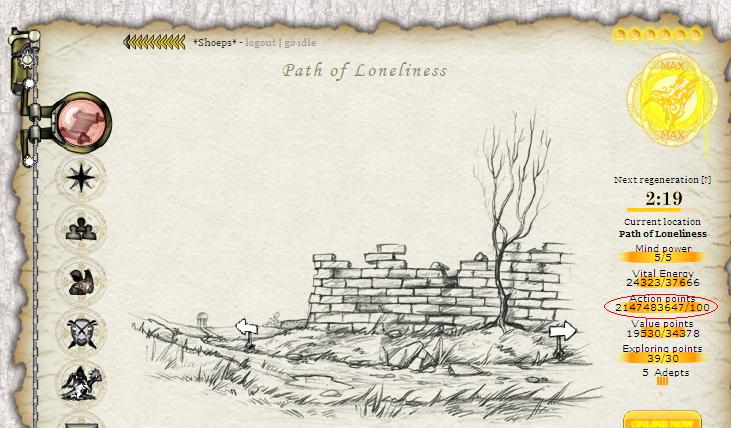
First Bug Achievement?
SPOILER!
-
Screenshot_20230327_224813.jpg
NFTs created from the new api, in md, from bestiary creatures. You can find them also on opensea.io where you can view there rarity and such.
Currently there is no way for anyone to create such nfts, but this is just because nobody showed any interest in this feature.
I will cobtinue working on in-game interfwces for this, or i will just use them for personal transfers and rewards..depends only on your feedback
-
-
-
Screenshot_20230327_221129_AlphaWallet.jpg
magicduel.com is not the official erc-20 (eth, polygon) address for md on the eth blockchain.
Magucduel.eth is also a valid ens domain name bound to the official address.
This is part of a series of experiments i do in the crypto direction
-
















Shoeps
-
Joined
-
Last visited
Everything posted by Shoeps
-
-
[quote name='Manda' timestamp='1282927355' post='67176'] 5 silver each [/quote] Thats to little and i wont sell any of them for that.
-
Hi, Im selling 5 Angiens with Age 451 of today. The have no tokens. This selling will end at 04/09/2010
-
100 silver for the dark.
-
5 gold and 50 silver, 3 max angiens, 2 max gg dragorns and 2 max rustie for the Dark
-
Ofcourse i wont have more then anyone els...
-
[b]*From: dst (ID:17096) [/b][i]*sent 17 hours and 50 minutes ago[/i] Quest I don't want the wp or the spell pages. I want the drach. And my name on the winners list. If I don't get what I have asked for then I will sabotage every little quest DS or you will ever put up. And you know that I am smart and I can do it. This is not a threat but a warning. If by the time I wake up, I don't have the CTC...well...I will begin my little plan. Have a terrible night
-
Simplyzero, leader of DS guild has refused your request to join.
-
Yeah Pampy is mine, mine mine mine and mine...
-
@ Burns.....No Kangaroos... :yahoo:
-
Buy them and ask me to change it... Could be a idea..
-
Or you could trying to push CTRL key and the F5 key on your keyboard together. That could olso help.
-
Did you used a CTRL+F5 and or did you delete your browser temp/cookies manuel? Did you try it out without your firewall/antivirus?
-
Hi, Can you send me a screen shot of the code please... Shoeps@magicduel.com
-
Mur knowes of this problem, i have told him about it... when in alliance you can not see howmutch honor you will get or lose...
-
Yes reinstall the latest flash player and clean all the temp files by hand and cookies..... That should work, i hope...
-
Those new voting system is out of Mur his hands.. He can not control it in any way.
-
Nice job dst...
-
Hi, LOL. Just use Firefox and all will be fine..... i hope..
-
June 13th, 2006, 03:54 AMTo any RPG fans, W3C recommandations lovers, Firefox addicts, members of this community There is a game called Magic Duel (http://magicduel.com) This might be one of the best browser based RPGs to come. Even if it has not been released yet, the developers are not interested in a standard compliant game. They will be satisfied if the game performs well under IE. I try to explain them how wrong is to be browser-centric (even worse, IE-centric). But it seems to me that I'm the only one in that small community supporting W3C recommandations. The others say they will be fine if the game renders good under IE. I need your help! We need to open their eyes! They have to see that there are poeple who want correct HTML code in pages they visit! They have to know that IE encourages BAD HTML coding! They need to know that a website/webpage must be correctly rendered under any browser! hey need to know how important are the standards! Please visit the official site (http://magicduel.com), or the forums (http://magicduel.com/forum/) or contact them by mail (beta@magicduel.com) and tell them your opinions on webstandards. They have to know that what they plan to do is WRONG. Maybe we can change something together. Thank you for your patience. Found it on the net.......... :lol:Usely CTRL + F5 would help...I like to join the test.You mean the sleeping beasts... :lol:Same here, already beaten those carracters... ps:there is a way in willow shop...